
I didn't need to spend a lot of time with the new Mac operating system to see that phones and tablet computers have won out over personal computers at Apple.
Mobile devices are already responsible for the bulk of Apple's sales and profits. Now, Apple is making the new Mac system even more like the iOS software that powers its iPhones and iPads. It's also casually dropping the "Mac" name from the Mac OS X operating software, though computers will still be called Macs, not "Super-sized iPads."
The new system, formally OS X 10.8 and dubbed Mountain Lion, went on sale Wednesday as a $19.99 download from Apple's App Store. It builds on the previous system, Lion, which came out last July.
Mountain Lion is made for a world where your computer is just one of your computing devices, along with your iPhone and your iPad. Apple wants to make it easier to switch from one to the other, several times a day.
It's already easy to switch between iPhone and iPad. For instance, songs and apps you buy on an iPad will automatically pop up on your iPhone through Apple's iCloud online-storage service. Lion has some iCloud features, but Mountain Lion really brings the Mac into the iPhone-iPad family.
That's what I like most about Mountain Lion. It borrows a lot from its mobile cousin.
The Mac already had such mobile-like features as the ability to zoom in or out on a MacBook by pinching your fingers on its touchpad. Mountain Lion goes a lot further:
A notification center slides out from the right of the screen to offer calendar reminders and the latest mail items. It mimics, down to the background color, layout and font, the way you get Facebook updates, news alerts and other notices on your iPhone.
The Mac's iChat app has been scrapped in favor of Messages, which is made phone friendly by incorporating the iMessage service for iPhone, iPad and iPod Touch users to exchange texts, photos and video. Now you can send messages from your Mountain Lion computer to your mobile friends, or reach another Mountain Lion user from your phone. The way conversations are presented feels more like texting than instant messaging.
Mountain Lion borrows a "Share" button from iPhone and iPad apps. The iPhoto image organizer on Lion had that, but it's now built into other apps such as the Safari Web browser and the Preview document reader. The options change depending on the app. In Safari, for instance, you can send a Web page by email or post a link on Twitter. In Preview, you can share a photo on Flickr or add it to iPhoto.
mountain_lion_notification_center.jpg
Facebook integration is coming this fall. You'll be able to limit who sees your post and add your current location through that share button. No longer will you have to cut and paste links. Mountain Lion will also sync contact information on Facebook friends with your Mac's address book. You need to sign on to Facebook only once, and Mountain Lion takes care of the rest.
That "single sign-on" feature is available right away for other services, including Twitter and Flickr. Once you're signed in, you don't need to enter your username and password again when accessing that service from another app.
Mountain Lion brings over another philosophical change from the iPhone.
For the longest time, personal computers let you install anything without question. But with Apple's mobile devices, you are limited to pre-approved software from the company's App Store. Apple wants to protect you from bad experiences, but it has also rejected some apparently harmless apps for mysterious reasons.
Mountain Lion adopts that gatekeeper philosophy, though the restrictions aren't as severe. If software you try to install doesn't come from the App Store, it has to be from a software developer who has registered with Apple for $99. The company doesn't review software unless it goes through the App Store, but the Mac checks to make sure the registration is valid. A registration can be yanked if a developer turns out to be evil.
I was denied the ability to install Google's photo-editing software, Picasa, likely because it was written before the registration program began. It took some sleuthing to figure out how to override that.
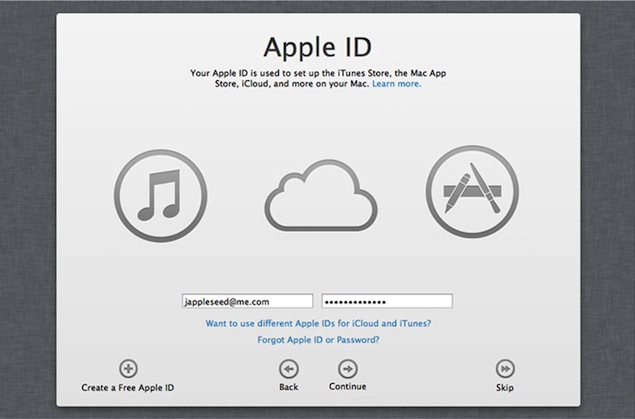
Now back to iCloud, my favorite part about Mountain Lion. All you need is an Internet connection and an Apple ID – the same one you create for free to buy songs and apps on iTunes. That Apple ID links your experience across the various devices. The iCloud service comes with five gigabytes of free storage; you can pay for more.
Consider Pages, Numbers and Keynote – Apple's versions of Microsoft's popular Office programs for word processing, spreadsheets and presentations. Documents are automatically stored online through iCloud, unless you change the location to a folder on your computer. It's a tactic Microsoft plans with its just-announced Office upgrade.
That means your documents follow you wherever you go. Type a sentence in a document on your MacBook and see the changes on the iPad a half-minute or so later. You can access your files even if you don't have an Internet connection. Copies are stored on your computer, and changes will be replicated to the iCloud folder once you're back online.
mountain_lion_icloud_documents.jpgIt's not so graceful when you type on both devices at once, as you are stopped and asked to choose one. But it's a promising start, and it's not often you're working on both devices at once anyway.
You get the benefits of iCloud when surfing the Web on Safari as well. You see what websites are open on other devices, so if you started researching that dream vacation at home, you can quickly access those same Web pages in the office (Note to boss: I meant to say "financial balance sheet," not "dream vacation"). Think of it as automated bookmarks. For this to fully work, your mobile devices need the iOS 6 upgrade this fall.
A number of other features jumped out:
The search and address bars are now combined on Safari, just as they are on Google's Chrome browser. Too often, I had wasted my time entering search terms in the box for the Web address.
Safari's Reading List now works offline. If you are reading a Web page and need to go somewhere, just click the small "glasses" icon for the browser to store a copy. You can continue reading in the car or on a train, even if you don't have an Internet connection.
Gamers will appreciate Game Center, which started out as a way for mobile users to find opponents and keep track of high scores. Mountain Lion users can now join in the fun.
mountain_lion_game_center.jpgI did run into a few hiccups using Mountain Lion, but none were deal-breakers. The iCloud features were easy to use once I signed in, but I had difficulty getting the startup screen to come up because of how my office Wi-Fi network is set up. I also had some trouble getting a new Notes program to sync, but it worked well once it did.
Apart from that, my experience was relatively pain-free and seamless.
If you're a Windows user, see what Microsoft has in store with Windows 8, which comes out Oct. 26. That system also promises to work well with tablet computers, but will it be as seamless as Mountain Lion?
If you already have a Mac, you can upgrade directly to Mountain Lion only if it's running Lion or its 2009 predecessor, Snow Leopard. It took a colleague an hour and a half to download and install Mountain Lion. You can upgrade for free if you bought your Mac since June 11.
Otherwise, shell out the $20. That's $20 for all your Macs, not each one. It's well worth the price just for the integration with iCloud, and you get a whole lot more.